Choosing a Model
Pick a model for each chat and adjust per-chat settings like tool behavior, reasoning effort, and temperature.
Each chat has its own model. You can switch models at any time, even in the middle of a conversation.
The Model Selector
Click the model name in the message box to open the model selector.
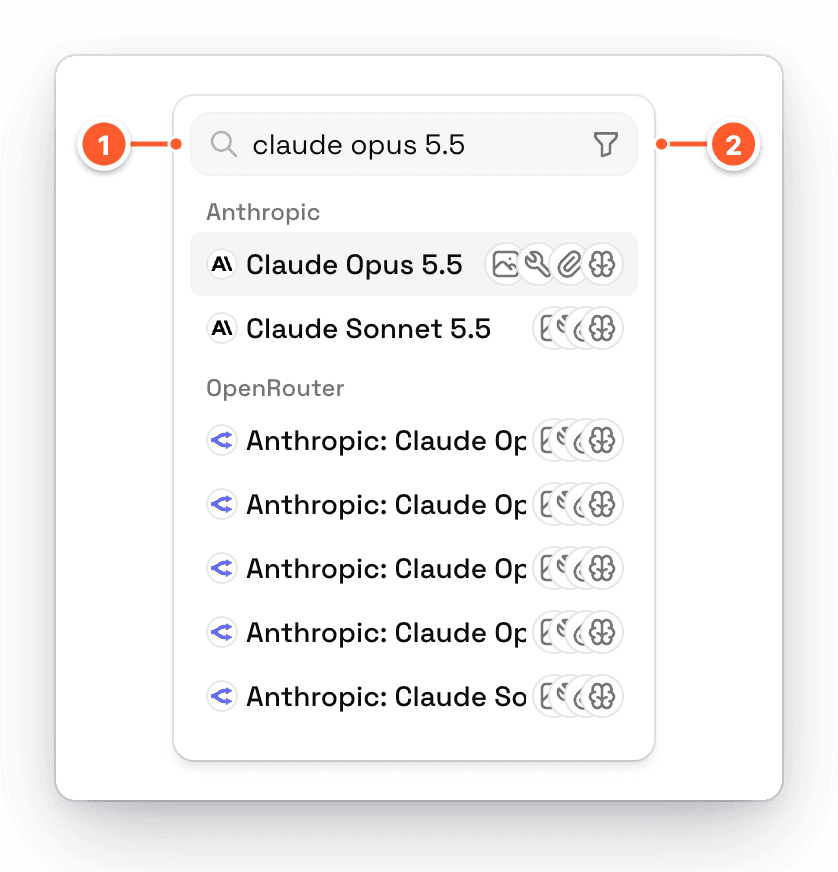
- Search models... finds models by name. Search is forgiving, so
opus 5.5finds Claude Opus 5.5. - Filter shows only models that support certain features.
Models are grouped by provider, and icons next to each model show what it supports.
Only models from providers you've turned on appear here. Click Add more models at the bottom of the list to set up more providers.
Filter by Feature
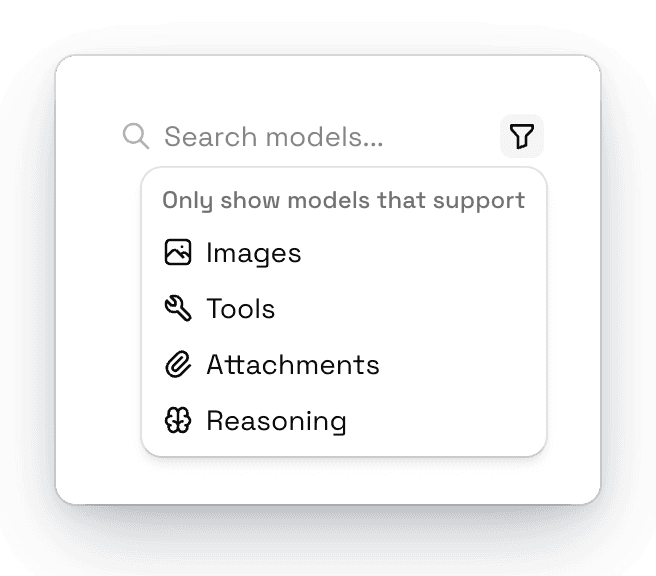
| Filter | Shows models that... |
|---|---|
| Images | Can look at images you attach |
| Tools | Can use tools. Choose one of these for agent tasks like web search and files. |
| Attachments | Accept other file types, like PDFs |
| Reasoning | Think before they answer |
Default Model for New Chats
The model you pick in a new, empty chat becomes the default for future new chats on this computer. Changing the model inside an existing chat only affects that chat.
Model Configuration
Click the sliders button next to the model selector to open Model Config. These settings apply to the current chat. If you change them in a new chat, they become the defaults for future chats.
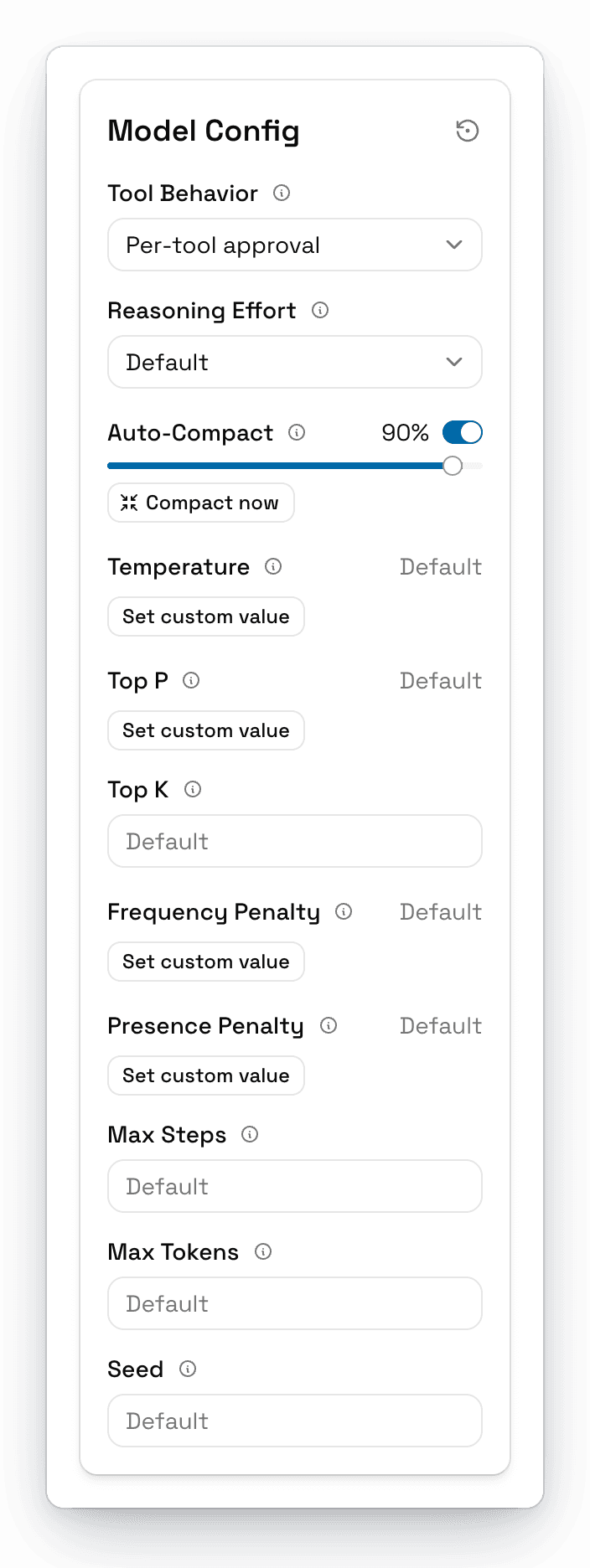
| Setting | What it does | Default |
|---|---|---|
| Tool Behavior | When AgentOne asks before using tools. See Tools & Approvals. | Per-tool approval |
| Reasoning Effort | How much the model thinks before answering: Default, None, Minimal, Low, Medium, High, Extra high, or Max. Only applies to models that support reasoning. | Default |
| Auto-Compact | Summarizes long chats automatically at a percentage of the context window. Includes Compact now. See Long Chats. | On, 90% |
| Temperature | Randomness, from 0 (focused) to 2 (creative). Click Set custom value to change it. | Model default |
| Top P | Nucleus sampling, from 0 to 1. | Model default |
| Top K | Only sample from the top K options. | Model default |
| Frequency Penalty | Discourages repeating the same words. | Model default |
| Presence Penalty | Encourages new topics. | Model default |
| Max Steps | The most tool steps AgentOne can take in one response. Leave empty for no limit. | No limit |
| Max Tokens | The longest response the model can write. Leave empty for the model's own limit. | Model default |
| Seed | A number that makes responses more repeatable on models that support it. | None |
A dot on the sliders button means you've changed something from the defaults. Click the reset button at the top of Model Config to undo all changes.
On the newest Claude models, setting Reasoning Effort to None may not turn reasoning off completely.
Not Seeing Any Models?
If the model selector says No model selected or the message box shows No Models Available, you either need to sign in to use AgentOne's model, or turn on a provider. See Troubleshooting Models & Providers.