Text-to-Speech
Have AgentOne read its responses out loud with OpenAI, ElevenLabs, Hume, or Google Gemini voices.
AgentOne can read its responses out loud. Once you set up a voice provider, a Read aloud button appears under every response.
Set Up a Voice
Go to Settings -> Providers -> Text-to-Speech.
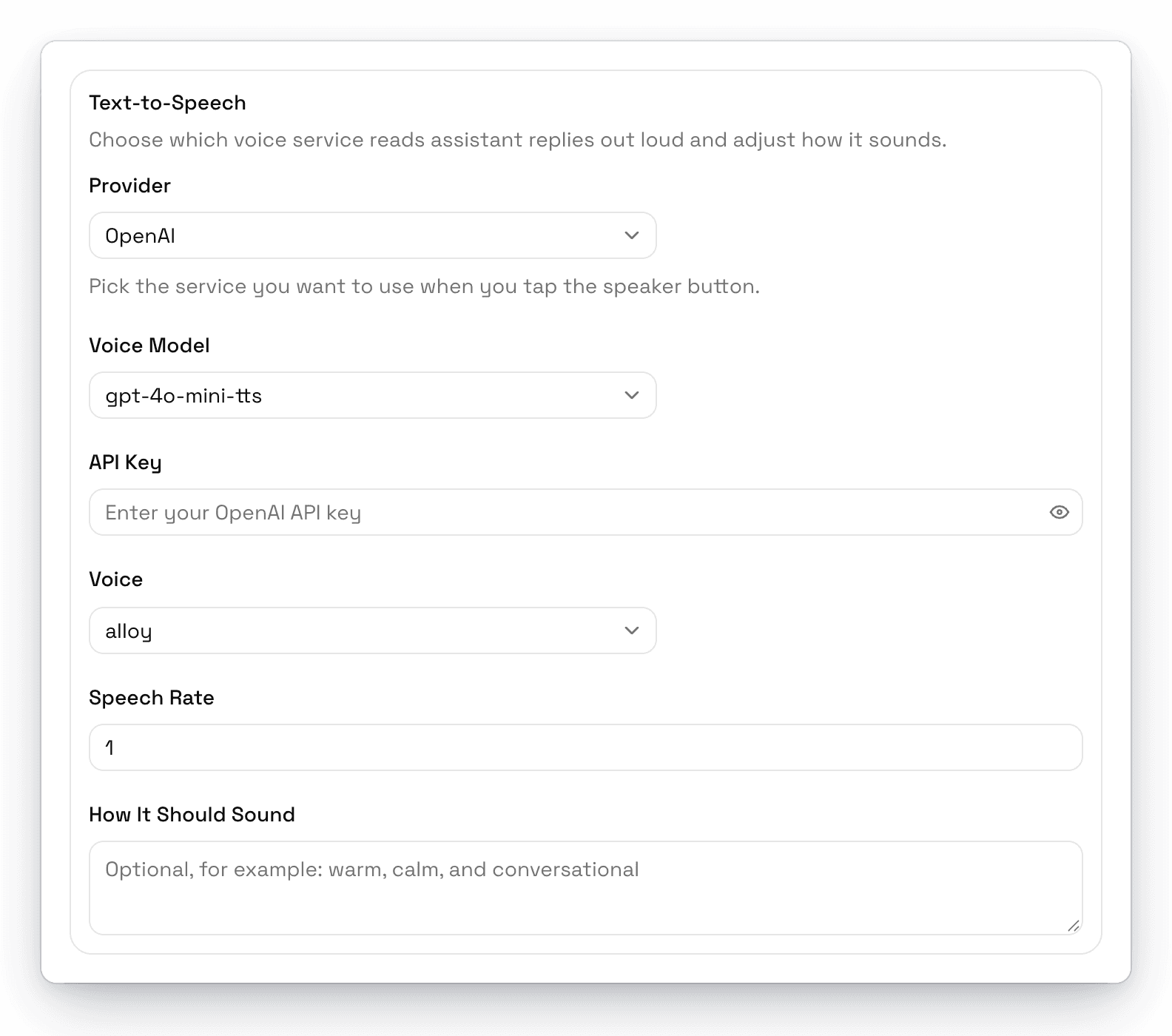
Choose a Provider, pick a Voice Model, paste the provider's API Key, then choose a voice and adjust the options.
| Provider | Voices | Options |
|---|---|---|
| OpenAI | alloy, ash, ballad, coral, echo, fable, nova, onyx, sage, shimmer, verse, marin, cedar | Speech Rate, and How It Should Sound for a speaking style |
| ElevenLabs | Paste any voice ID from your ElevenLabs account | Speech Rate, Language Code, Stability, Voice Match, Style Strength, Text Cleanup, Boost Voice Match |
| Hume | Paste a Hume voice ID | Speech Rate, How It Should Sound |
| Google Gemini | Choose from Gemini's voice list | Speech Rate, How It Should Sound |
How It Should Sound lets you describe the delivery in plain words, like "upbeat and friendly" or "calm and slow."
Read a Response Aloud
Click Read aloud under any response. Click the same button again (Stop reading aloud) to stop.
Your voice settings sync across your devices when you're signed in, but the API key stays on each computer.