Local Models
Run models on your own computer with Ollama or LM Studio, for free and fully offline.
Local models run entirely on your computer. They're free, work offline, and your messages never leave your machine. AgentOne has built-in support for Ollama and LM Studio, and both are turned on by default.
How It Works
Every time AgentOne starts, it checks whether Ollama or LM Studio is running and adds their models to the model selector automatically. Start your local server, then open (or restart) AgentOne.
Manage local providers in Settings -> Providers -> Local.
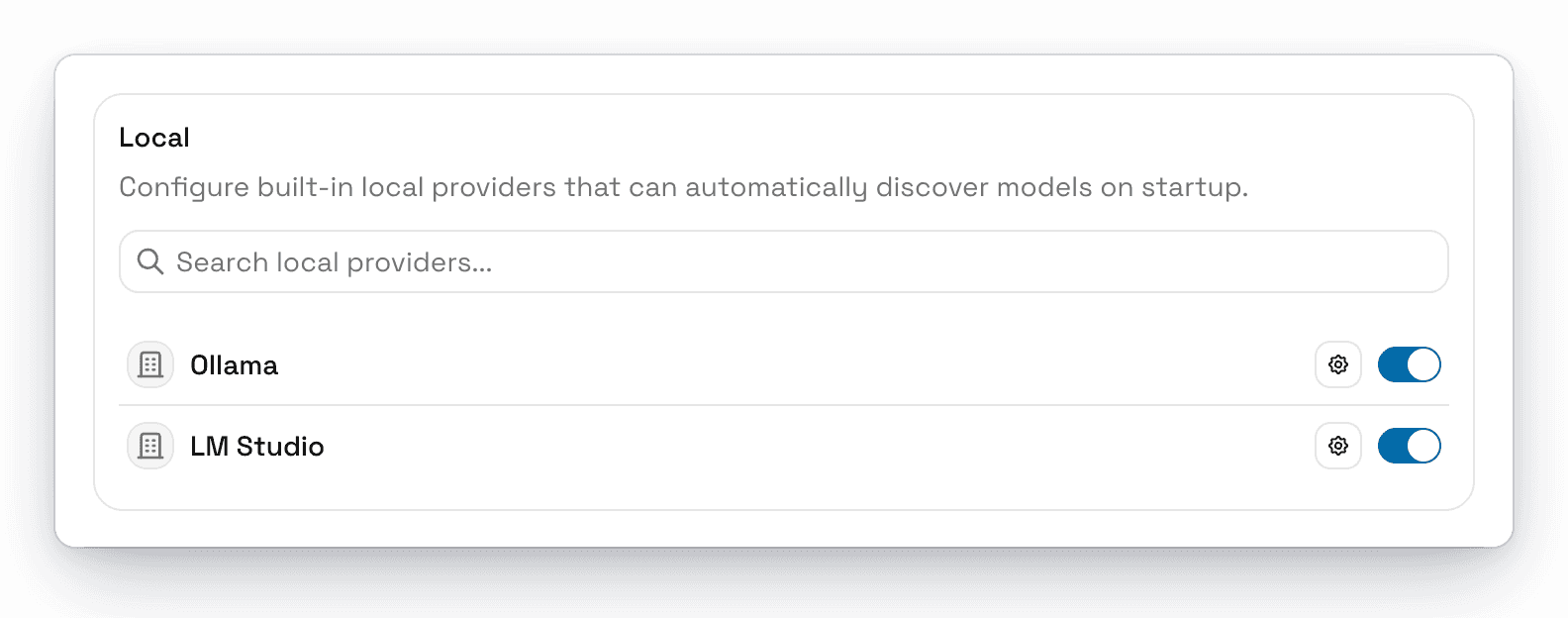
Ollama
Install Ollama
Download Ollama from ollama.com/download and open it.
Download a model
In a terminal, pull a model that supports tools. For example:
ollama pull qwen3:8bBrowse more models in the Ollama library. Look for the tools tag so the model can use AgentOne's tools.
Restart AgentOne
Quit and reopen AgentOne. Your Ollama models appear under Ollama in the model selector.
To see or change which models AgentOne uses, click the gear next to Ollama:
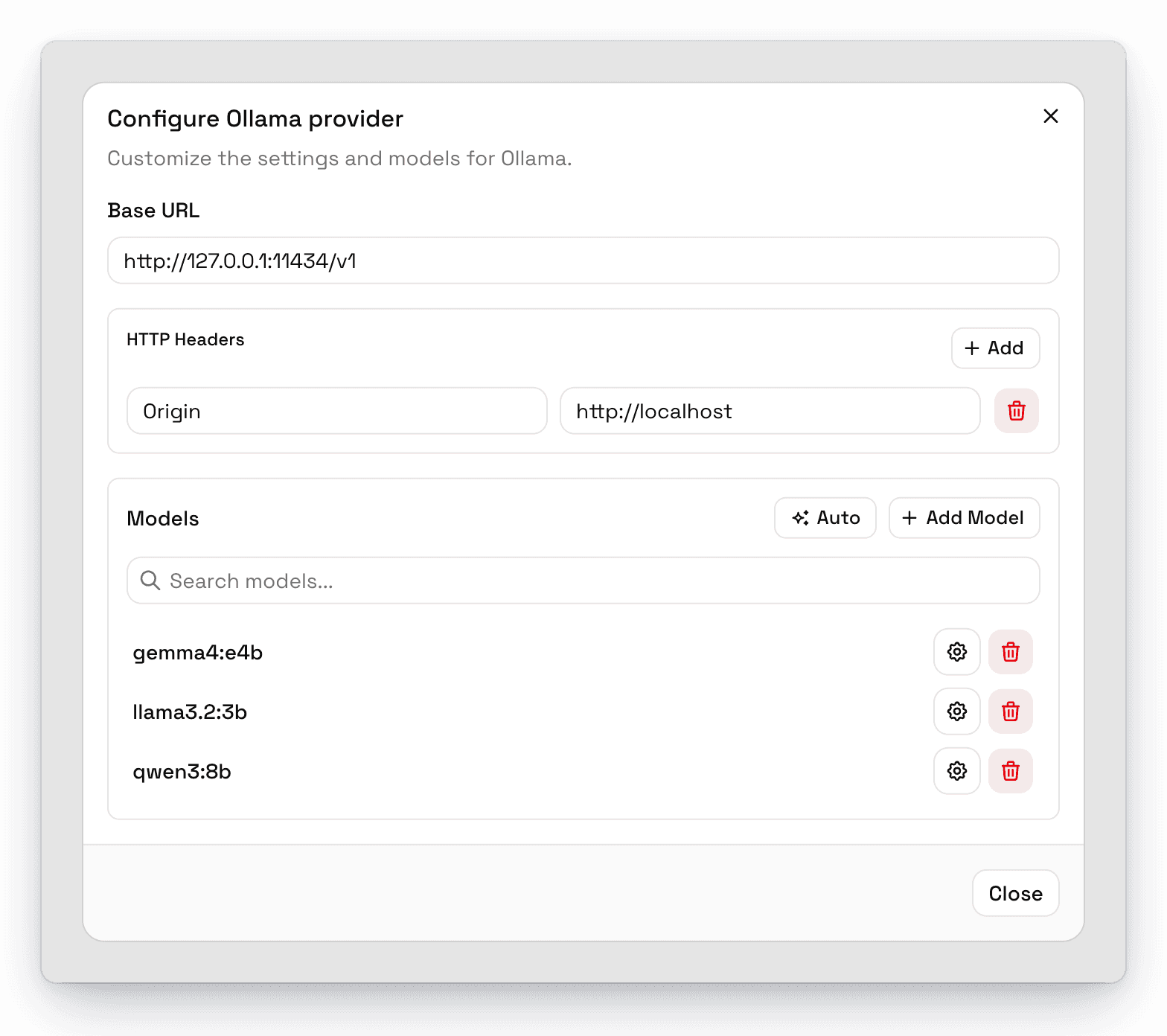
- Base URL is
http://127.0.0.1:11434/v1by default. Change it if Ollama runs on another computer or port. - Models lists every model AgentOne found. Click Auto to check for new models now, or Add Model to add one by name.
LM Studio
Install LM Studio and download a model
Download LM Studio, then search for and download a model inside the app.
Start the local server
In LM Studio, open the Developer tab, load your model, and turn on Start server (or run lms server start in a terminal). By default the server listens on port 1234.
Restart AgentOne
Quit and reopen AgentOne. Your loaded models appear under LM Studio in the model selector.
LM Studio's default base URL in AgentOne is http://127.0.0.1:1234/v1.
Tips for Local Models
- Pick a model that supports tools for agent tasks like web search, files, and commands. Smaller models may chat fine but struggle with tools.
- Bigger isn't always better. A model that fits comfortably in your computer's memory will be much faster than one that doesn't.
- Set the context window if AgentOne doesn't know it, so compaction works. Edit the model in the provider's settings. See Model Metadata.
For a full walkthrough, see Guide: Local LLMs with Ollama.
Troubleshooting
My local models don't show up
- Make sure Ollama or LM Studio is running before you open AgentOne, then restart AgentOne.
- In LM Studio, make sure the server is started and a model is loaded.
- Check that the provider is turned on in
Settings->Providers-> Local, and that the base URL matches your server. - Open the provider's settings and click Auto to search for models again.
Ollama has no models
If no models are installed, Ollama returns an empty list. Run ollama pull <model> first.