Extensions
Connect AgentOne to more apps and services with Model Context Protocol (MCP) extensions.
Extensions give AgentOne new tools, like reading your Notion pages, managing Linear issues, or searching GitHub. They're built on the Model Context Protocol (MCP), an open standard for connecting AI agents to apps and data.
AgentOne's extension list comes from the official MCP Registry, with more than 50,000 entries. You can also add any MCP server yourself.
Open Extensions
Open the account menu at the bottom of the sidebar and click Extensions.
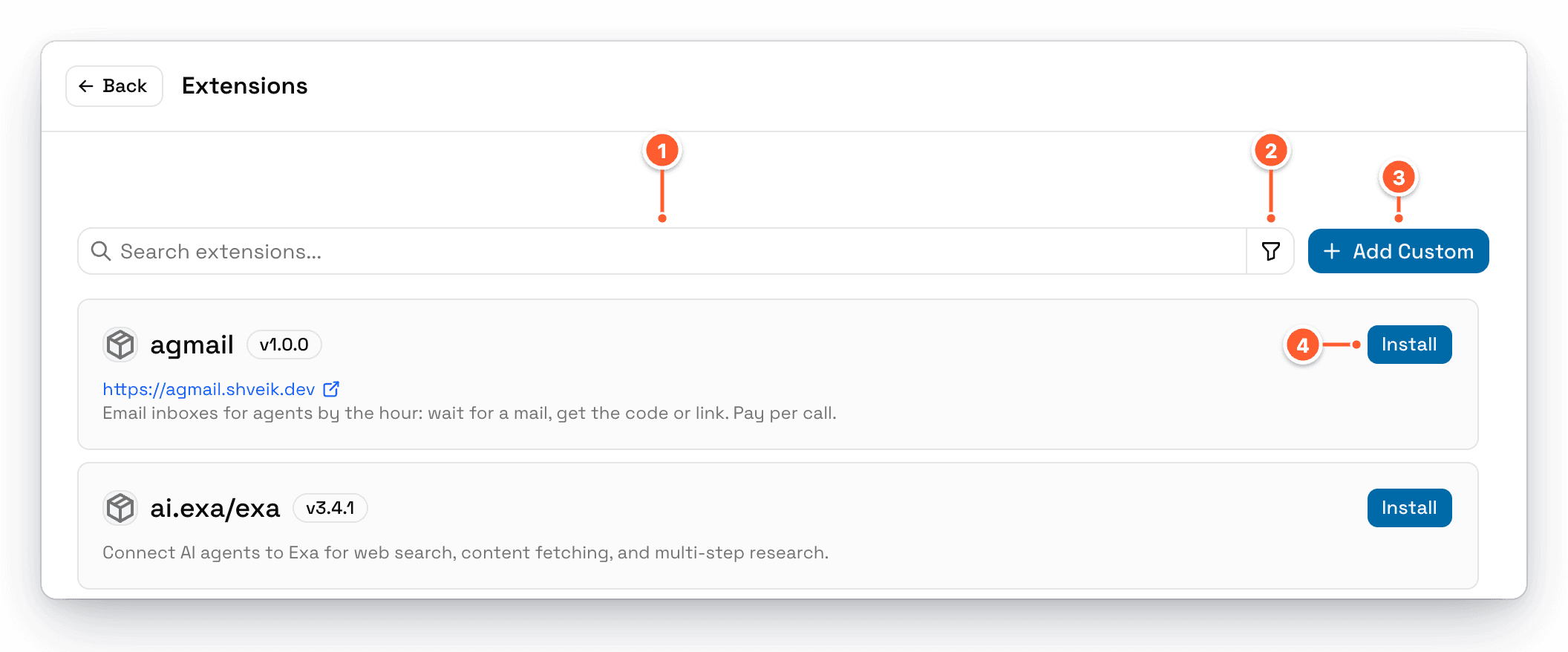
- Search extensions... searches by name, description, and keywords.
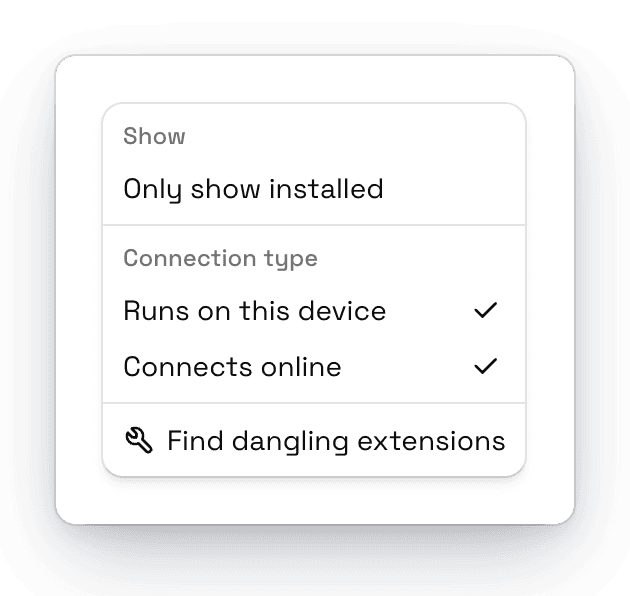
- Filter shows only installed extensions, or only extensions of one type.
- Add Custom adds an MCP server that isn't in the registry. See Custom Extensions.
- Install adds an extension. See Installing Extensions.
The page shows the first 100 results. Search to find the one you want.
Two Kinds of Extensions
| Type | Filter name | How it works |
|---|---|---|
| Local (STDIO) | Runs on this device | AgentOne starts a program on your computer, often with npx, uvx, or docker. These can access your computer, so only install ones you trust. |
| Remote (HTTP) | Connects online | AgentOne connects to a server on the internet. Many ask you to sign in to the service. |
Keeping the List Up to Date
AgentOne downloads the extension list separately from the app, and refreshes it automatically every 24 hours, even while AgentOne stays open. The list is saved on your computer, so you can browse it offline. To refresh it now, go to Settings -> Help & Updates -> Extension List and click Update now.
Extensions Stay on Each Device
Installed extensions and their settings stay on the computer you installed them on and don't sync. Set them up separately on each device.