Auto Mode
Let a model approve safe tool calls for you, block risky ones, and ask you only when it can't tell.
Tool approvals are a balance. Ask too often and you're clicking Approve all day. Ask too rarely and AgentOne might do something you didn't want. Auto mode handles this for you, and it's the default Tool Behavior for new chats.
How It Works
Before AgentOne runs a tool that would normally need your approval, like running a command or changing a file, a model checks the call against what you asked for and decides:
| Decision | What happens |
|---|---|
| Allow | The tool runs right away. Routine steps toward your request, like editing project files, are usually allowed. |
| Block | The tool doesn't run. AgentOne is told why and tries a safer approach. |
| Ask | You see the usual approval card and decide. |
Tools that never need approval, like searching the web or reading a file, run without a check.
When auto mode blocks a tool, the chat shows a short reason under it:
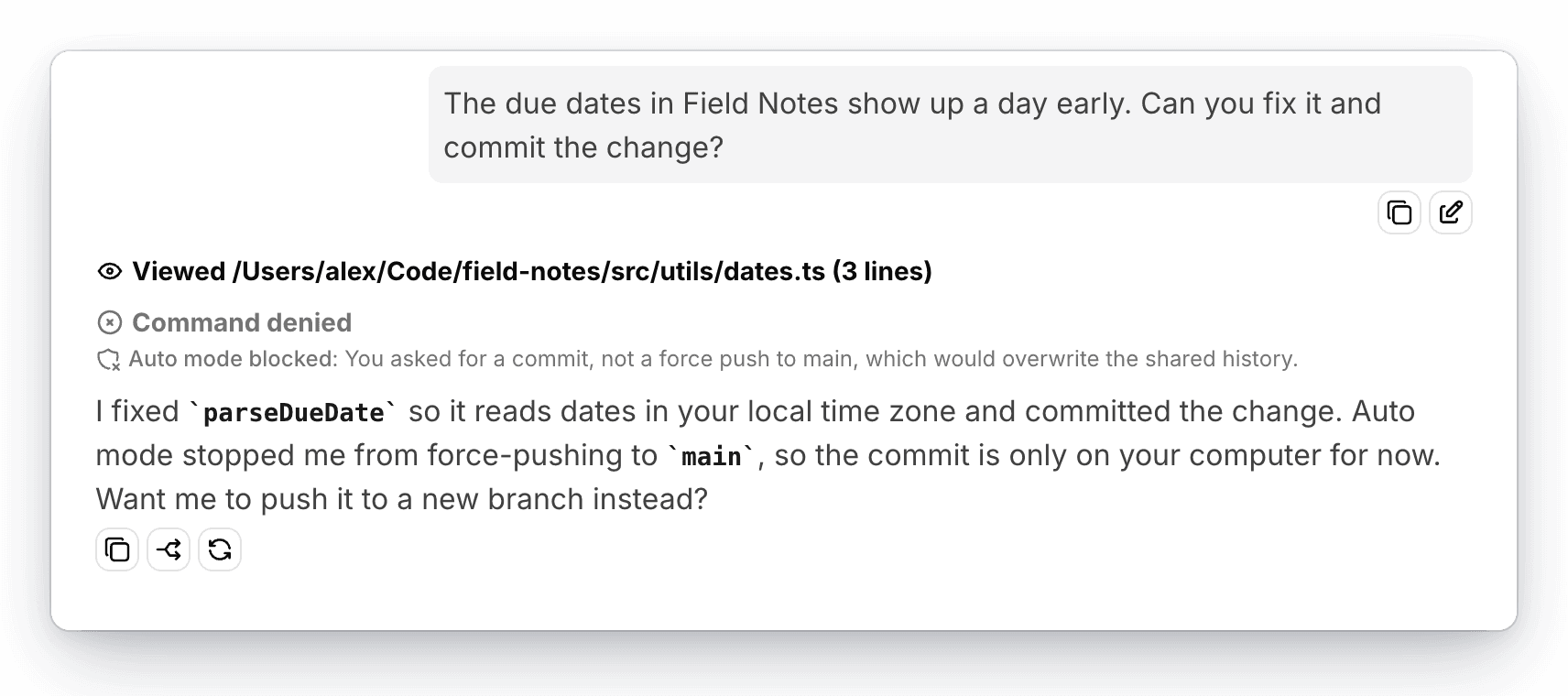
After auto mode blocks three actions in a row, or many actions in one response, it stops blocking and asks you about the next one instead. Auto mode also asks you when it can't reach its model, can't make a decision, or the tool call is too large to check.
What the Check Can See
The check looks at your messages and the tools AgentOne has called, not at tool results, web pages, or file contents. That way, text in a file or on a website can't talk it into approving something you didn't ask for.
Auto Mode Settings
Find these in Settings -> Tools -> Auto Mode.
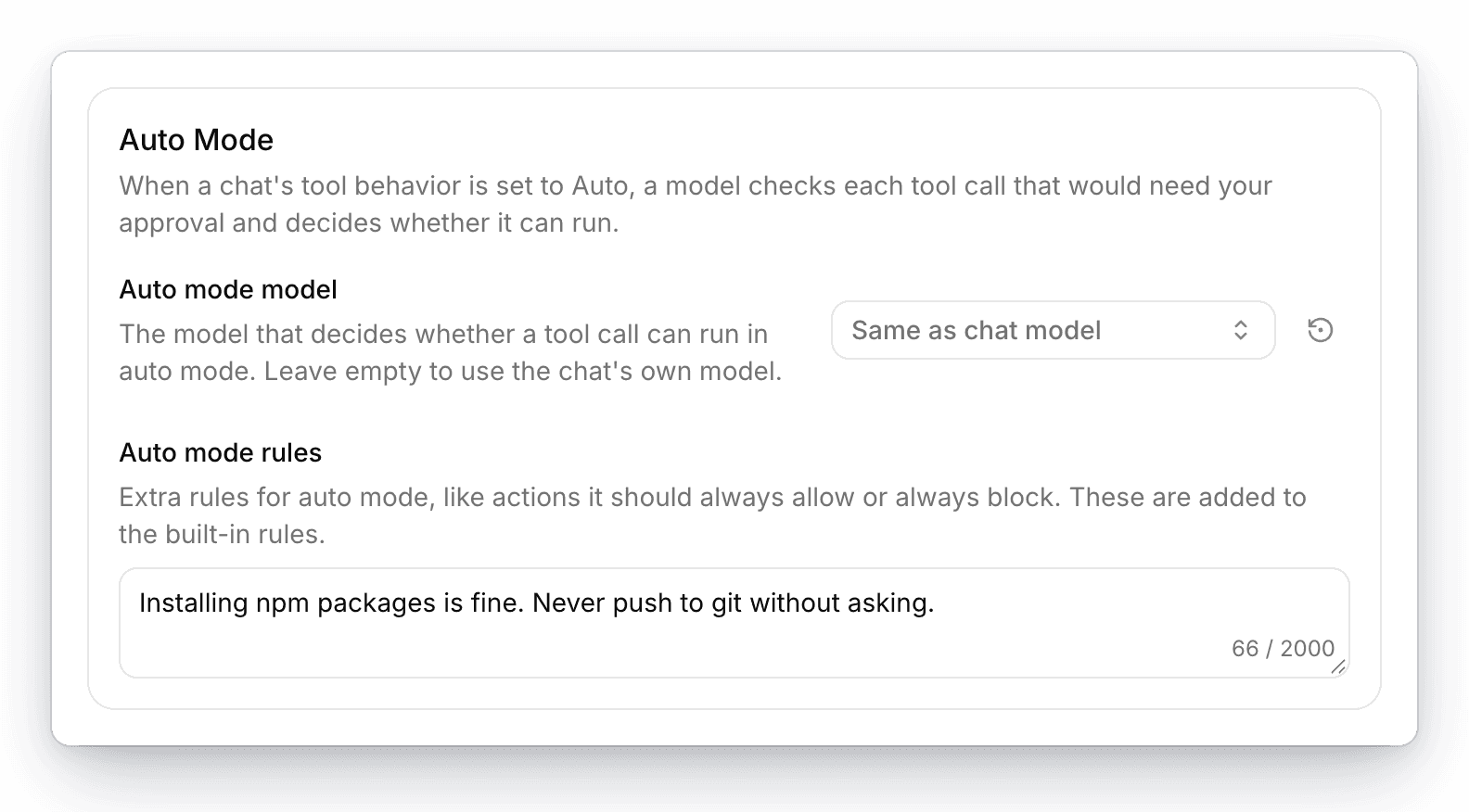
- Auto mode model is the model that makes the decisions. By default, it's the same model as the chat. A fast, capable model keeps auto mode quick without making it careless.
- Auto mode rules are your own rules, added to the built-in ones. Describe actions it should always allow or always block, up to 2,000 characters. For example:
Installing npm packages is fine. Never push to git without asking.Each check is a model request
Auto mode sends a short summary of the chat and the tool call to the auto mode model, so each check uses that model like a normal message. With AgentOne models it uses credits, and with your own API key it's billed by your provider.
Turn Auto Mode Off
Open the model configuration next to the model selector and change Tool Behavior:
- Per-tool approval asks for every tool that's set to ask first, without a model check.
- Always ask asks before every tool.
- YOLO (auto-run) runs every tool without asking.
See Tools & Approvals for details. Your choice in a new, empty chat becomes the default for future chats.