Skills
Give AgentOne folders of instructions, examples, and scripts for specific kinds of tasks.
A skill is a folder of instructions, examples, and scripts for a specific kind of task, like making slide decks, following your company's brand guidelines, or releasing an app. When a task matches a skill, AgentOne reads the skill first and follows it.
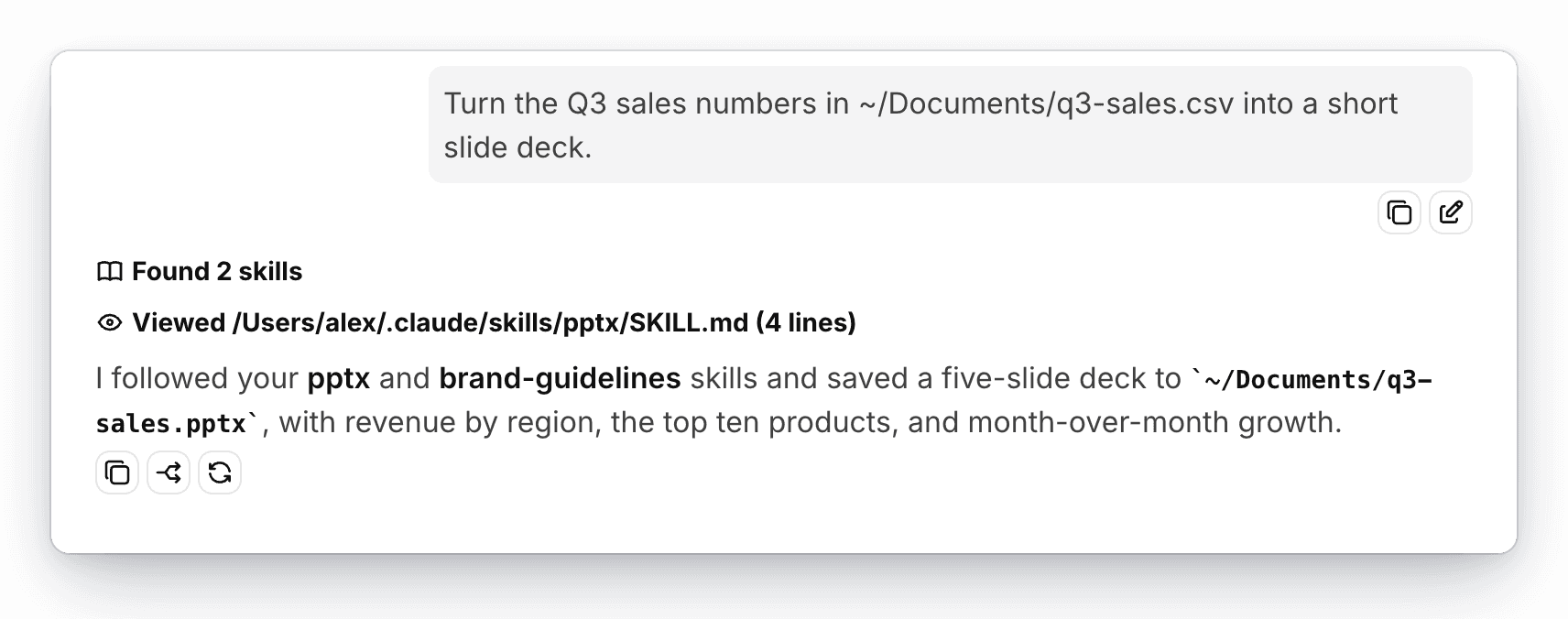
AgentOne uses the same skill format as other agents, so skills you already use with them work right away.
Where AgentOne Looks for Skills
By default, AgentOne looks in two folders:
~/.agents/skills~/.claude/skills
Change the list in Settings -> Account -> Profile & Instructions -> Skills. Click Add to choose a folder, or the x next to a folder to stop using it. The folder itself isn't deleted.
Projects with a folder also look in the project's .agents/skills and .claude/skills folders. You can give each project its own list in the project's settings.
If two skills have the same name, the one in the folder later in the list wins.
Add a Skill
Each skill is a folder with a SKILL.md file inside. To add one, put its folder in one of your skill folders. For example:
~/.agents/skills/
└── release-notes/
    ├── SKILL.md
    └── template.md
SKILL.md starts with a short header that tells AgentOne the skill's name and when to use it, followed by the instructions:
---
name: release-notes
description: Write release notes for the Field Notes app. Use when asked to draft or update release notes.
---

# Writing release notes

1. Start from `template.md` in this folder.
2. Group changes under New, Improved, and Fixed.
3. Keep each item to one sentence, written for users rather than developers.
Write a clear description. AgentOne only sees each skill's name and description until it decides a skill fits the task, then it reads SKILL.md and any other files the skill points to.
How AgentOne Uses Skills
To use a skill yourself, type / in the message box and pick it from the list. AgentOne follows that skill for your message. See Mention Files and Skills.
When a task might match a skill, AgentOne lists your skills and reads the ones that fit. Both steps use the file reading tool, so skills need Allow AgentOne to read files turned on in Settings -> Tools. Skills can also include scripts, which AgentOne runs with the Run command tool, so those ask for approval like any other command.
Only use skills you trust
Skills are treated as guidance, not as messages from you. If a skill asks for something that goes against what you asked, like sending your data somewhere or deleting files, AgentOne tells you instead of doing it. Still, only add skills from sources you trust, and read what a skill does before you use it.