Personalization
Tell AgentOne your name, give it standing instructions, and manage what it remembers about you.
AgentOne can tailor every chat to you. Your name, custom instructions, and memories are included in every conversation, and they sync across your devices when you're signed in.
Find them in Settings -> Account -> Profile & Instructions.
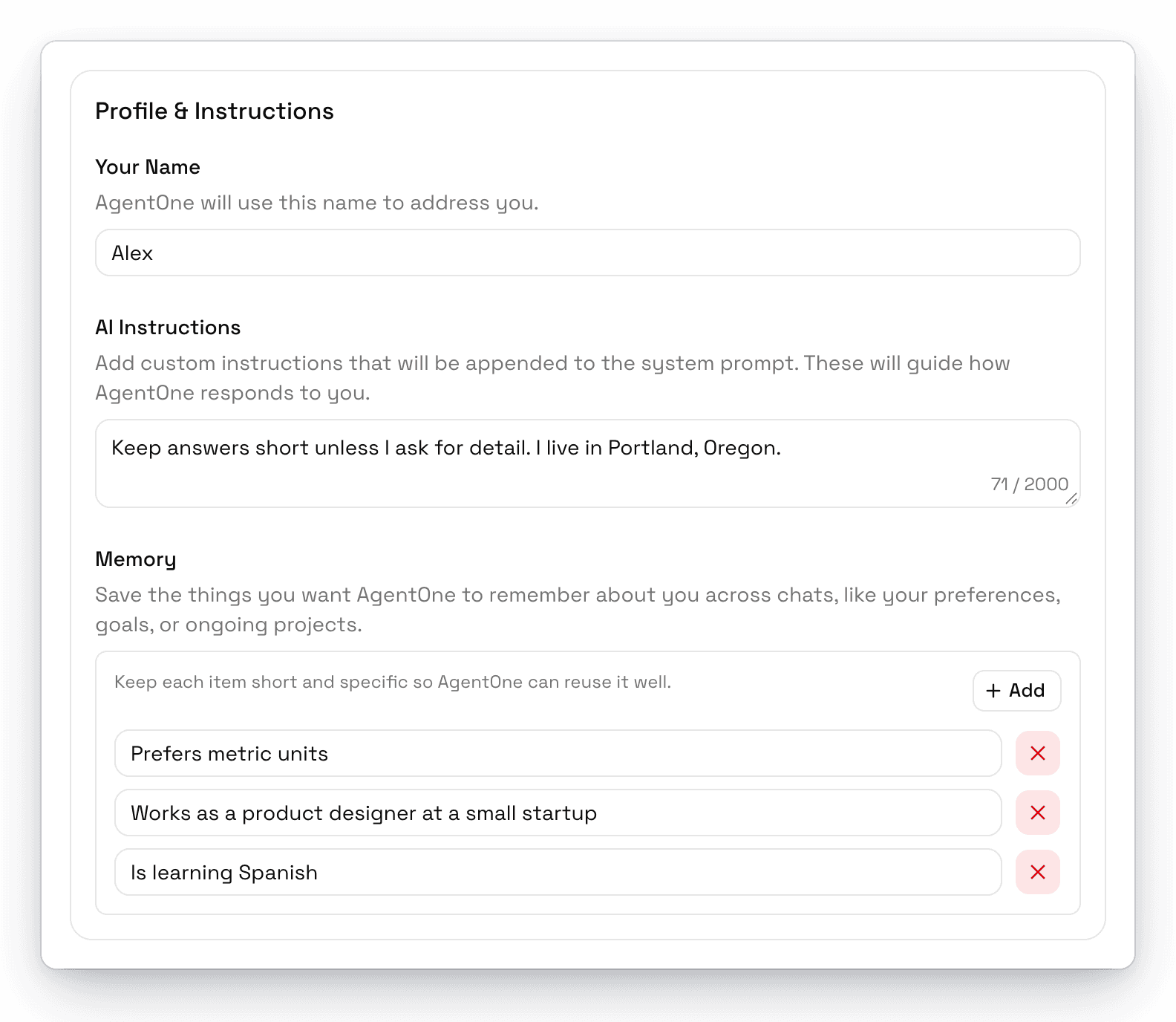
Your Name
AgentOne uses this name to address you, including in the greeting on new chats. If you signed in during onboarding, it's filled in from your account.
AI Instructions
Standing instructions that AgentOne follows in every chat, up to 2,000 characters. For example:
Keep answers short unless I ask for detail. Use metric units.
I'm a product designer, so skip the basics on UX terminology.
Memory
Memories are short facts AgentOne remembers about you across chats, like your preferences, goals, or ongoing projects.
There are two ways to add them:
- Ask AgentOne. Say something like "Remember that I prefer short answers." AgentOne saves it with its built-in Memory tool.
- Add them yourself. Click Add in the Memory section and type a short, specific fact.
To change a memory, edit its text. To remove one, click the x next to it and confirm. You can save up to 100 memories of up to 500 characters each.
Keep memories short and specific
"Lives in Portland, Oregon" works better than a paragraph about your life. AgentOne reuses short facts more reliably.
If you don't want AgentOne to save memories on its own, turn off the Memory tool in Settings -> Tools. See Tools & Approvals.