Message Actions
Copy, edit, branch, regenerate, and read messages aloud in AgentOne.
Every message has a row of small buttons underneath it. By default they're always visible. You can show them only on hover, or hide them, with Settings -> Chats -> Message Action Row.
Actions on AgentOne's Responses
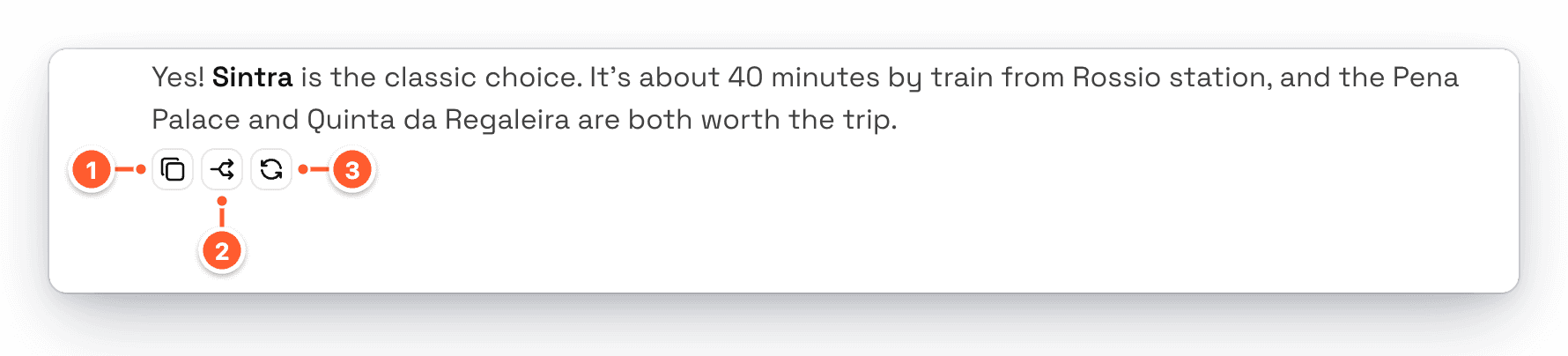
- Copy copies the response's text.
- Branch starts a new chat from this point. See Branch a Conversation.
- Regenerate asks AgentOne to write this response again.
If you've set up text-to-speech, a Read aloud button also appears. Click it again to stop reading.
Actions on Your Messages

- Copy copies your message.
- Edit lets you change your message.
Edit a Message
Click Edit under one of your messages to change it in place.
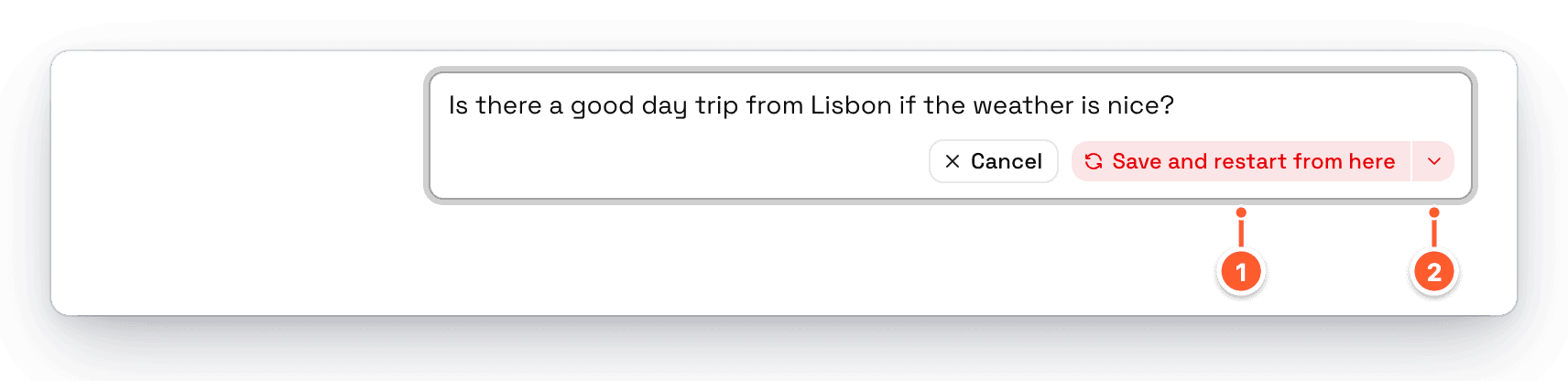
- Save and restart from here saves your change and has AgentOne answer again from this point. Everything after the message is replaced.
- The arrow menu has Regenerate when saved. Turn it off to save your edit without getting a new answer. The button then just says Save.
Press Enter to save or Esc to cancel. To change the default, use Settings -> Chats -> Regenerate on Save.
You can edit your own messages, but not AgentOne's responses. To get a different response, use Regenerate or Branch.
Branch a Conversation
Branching lets you try a different direction without losing the original chat. Click Branch under any of AgentOne's responses. AgentOne makes a new chat with every message up to and including that response, using the same title, model, and settings, and opens it.
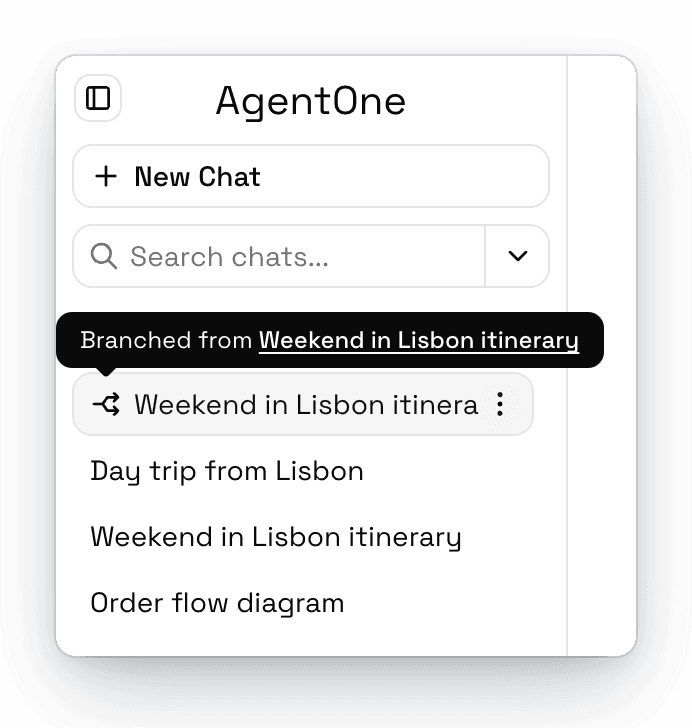
The new chat appears in the sidebar with a split-arrow icon. Hover it to see which chat it came from.
Resume a Response
If a response was cut off by an error, click Resume above the message box. AgentOne continues where it left off instead of starting over. See When Something Goes Wrong.