Set Up a Morning Briefing
Create a scheduled agent that sends you the weather, headlines, and anything else you care about every weekday morning.
In this guide, you'll create a scheduled agent that runs every weekday at 7:00 AM and writes you a short briefing.
Before You Start
- Use a model that supports tools, so the agent can search the web. AgentOne's own model works well.
- Your computer needs to be on (or wake up within 5 minutes of 7:00 AM) for the run to happen.
Ask AgentOne to set it up
Start a new chat and send:
Every weekday at 7am, give me a short morning briefing: the weather in
Portland, Oregon, the top 5 tech headlines with links, and one interesting
fact. Keep it under 200 words.
AgentOne may ask a question or two. Then it asks for your approval to create the scheduled agent. Check the title, schedule, and prompt, and click Approve.
Prefer to fill it in yourself?
Open Scheduled Agents from the account menu, click New, then or enter manually. Use the schedule 0 7 * * 1-5.
Check the schedule
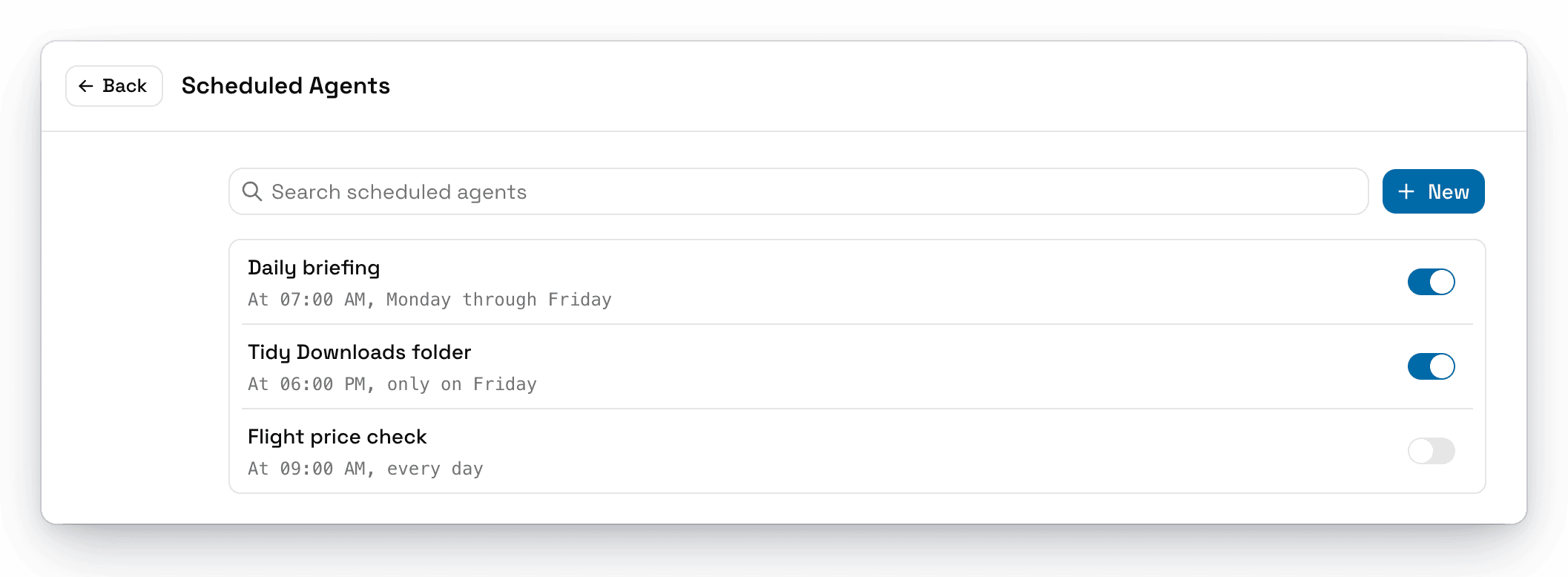
Open the account menu and click Scheduled Agents. Your new agent should be listed with a schedule like "At 07:00 AM, Monday through Friday."
Make sure it won't wait for approval
A scheduled run pauses if it needs your approval. Search the web and Browse don't need approval by default, so this briefing runs on its own. If your prompt uses tools that do, like creating files, turn off Require Approval for those tools in Settings -> Tools.
Read your briefing
At 7:00 AM, AgentOne opens and starts a new chat with your briefing. It has a clock icon in the sidebar, so it's easy to find. If you have notifications on, AgentOne lets you know when it's ready.
Make It Your Own
- Change the time. Edit the agent and set the schedule, for example
30 6 * * 1-5for 6:30 AM. - Save it to a file. Add "Save the briefing to
~/Documents/briefings/with today's date as the filename" to the prompt, and allow Create file to run without approval. - Add your calendar or email. Install an extension for your calendar or email, and mention it in the prompt.
- Pause it on vacation. Turn off the agent's switch, and turn it back on when you're back.