Installing Extensions
Find an extension in the registry, review its settings, and install it.
Find the extension
Open the account menu, click Extensions, and search for the app or service you want, like notion, linear, or github. Official extensions are usually published under the company's own domain, like com.notion/mcp.
Click Install
Click Install next to the extension. AgentOne reads the extension's details and fills in as much of the setup as it can.
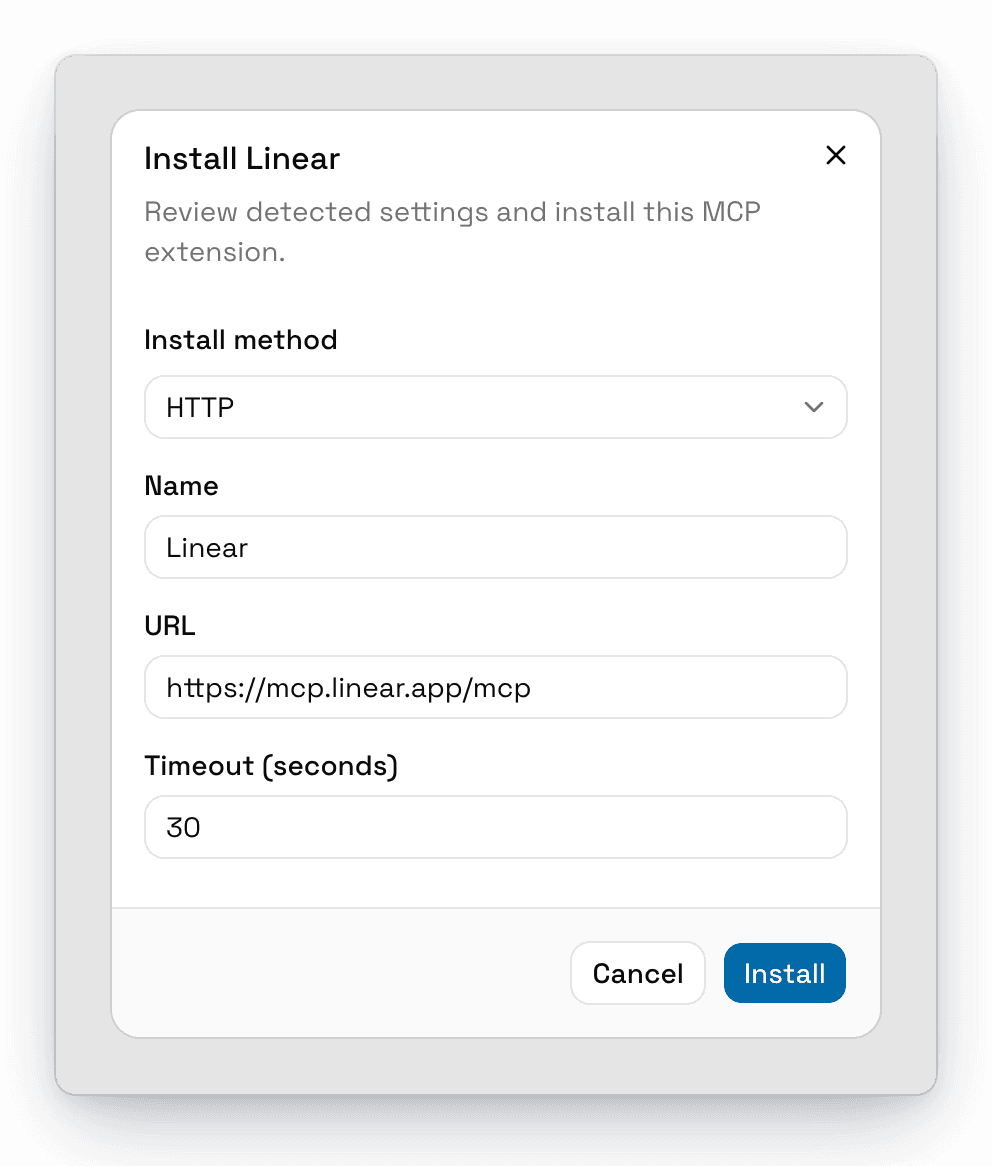
For a remote extension, there's usually nothing to fill in:
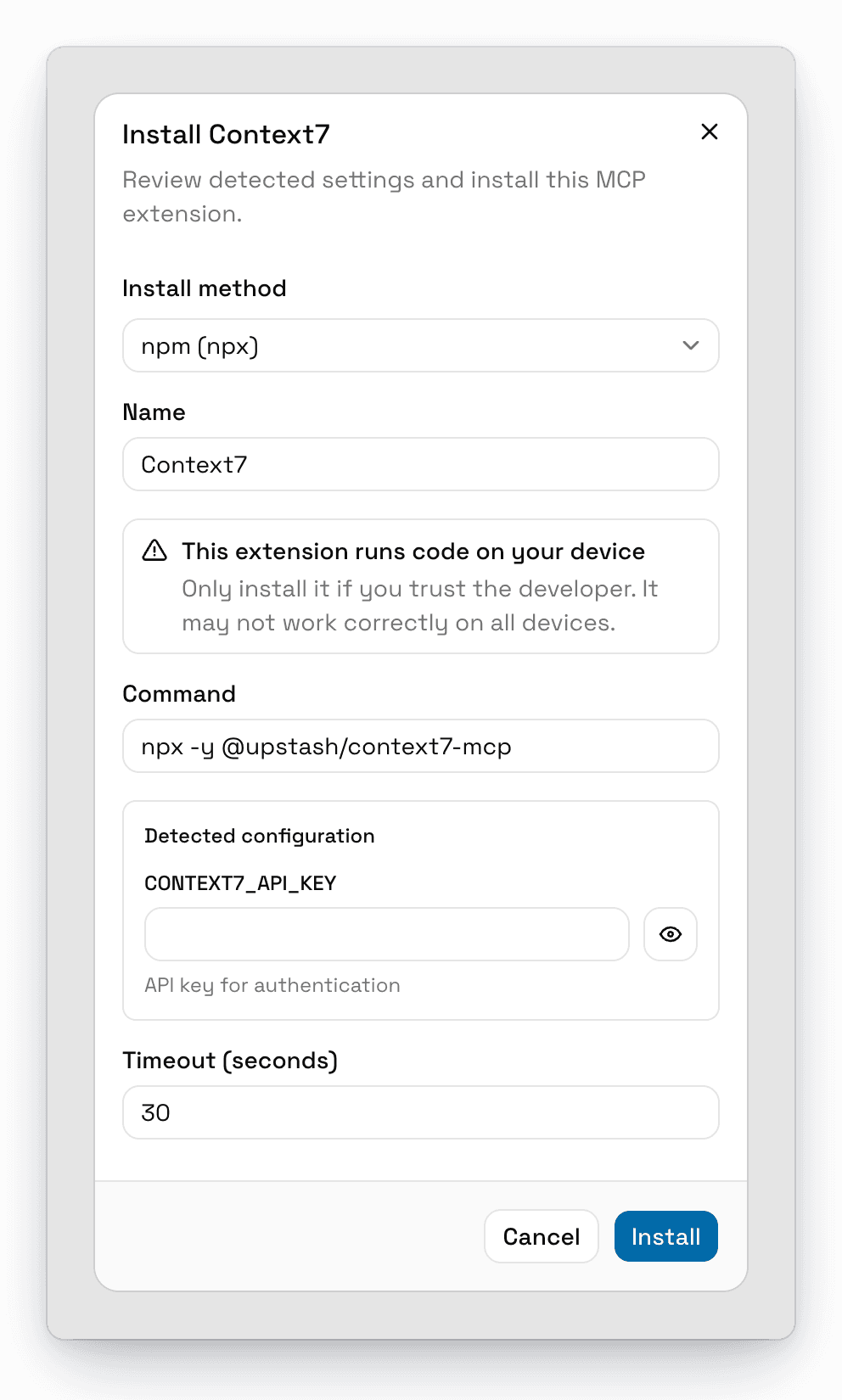
For a local extension, AgentOne shows the command it will run and any keys or settings the extension needs:
Review the settings
- Install method: some extensions can be installed more than one way, like npm (npx), PyPI (uvx), Docker (docker), or HTTP. Pick the one that works on your computer.
- Detected configuration: any API keys, headers, or other values the extension needs. Fields for secrets have a show/hide button.
- Timeout (seconds): how long AgentOne waits for the extension to start.
Local extensions show a warning: This extension runs code on your device. Only install extensions from developers you trust.
Install
Click Install. AgentOne starts the extension and shows its status in the list, like Loaded successfully with 12 tools.
If the extension needs you to sign in, you'll see Connect your account for full access. See Signing In to an Extension.
Missing Required Tool
Local extensions need a runtime on your computer, like Node.js for npx, uv for uvx, or Docker. If it's not installed, AgentOne warns you with Missing required tool and turns the Install button red.
You can still install the extension, but it won't work until the tool is available. Install it first:
| Command | Install |
|---|---|
npx | Node.js |
bunx | Bun |
uvx | uv |
docker | Docker Desktop |
dnx | .NET |
Then restart the extension, or AgentOne. AgentOne finds programs installed by tools like Homebrew and nvm automatically.
Use an Extension
Once an extension is installed and turned on, its tools are available in every chat. Just ask, for example "What Linear issues are assigned to me?" AgentOne picks the right tool on its own.
Extension tools don't ask for approval by default. To change that, see Tool Approvals.
If you have a lot of extensions installed, AgentOne loads a few at a time
when it starts. You can change how many with Settings -> Performance ->
MCP Parallel Load Limit.