Custom Extensions
Add any local (STDIO) or remote (HTTP) MCP server to AgentOne.
If an MCP server isn't in the registry, or you want to configure it yourself, add it as a custom extension.
Open Extensions from the account menu and click Add Custom.
Local Server (STDIO)
A local server is a program AgentOne runs on your computer.
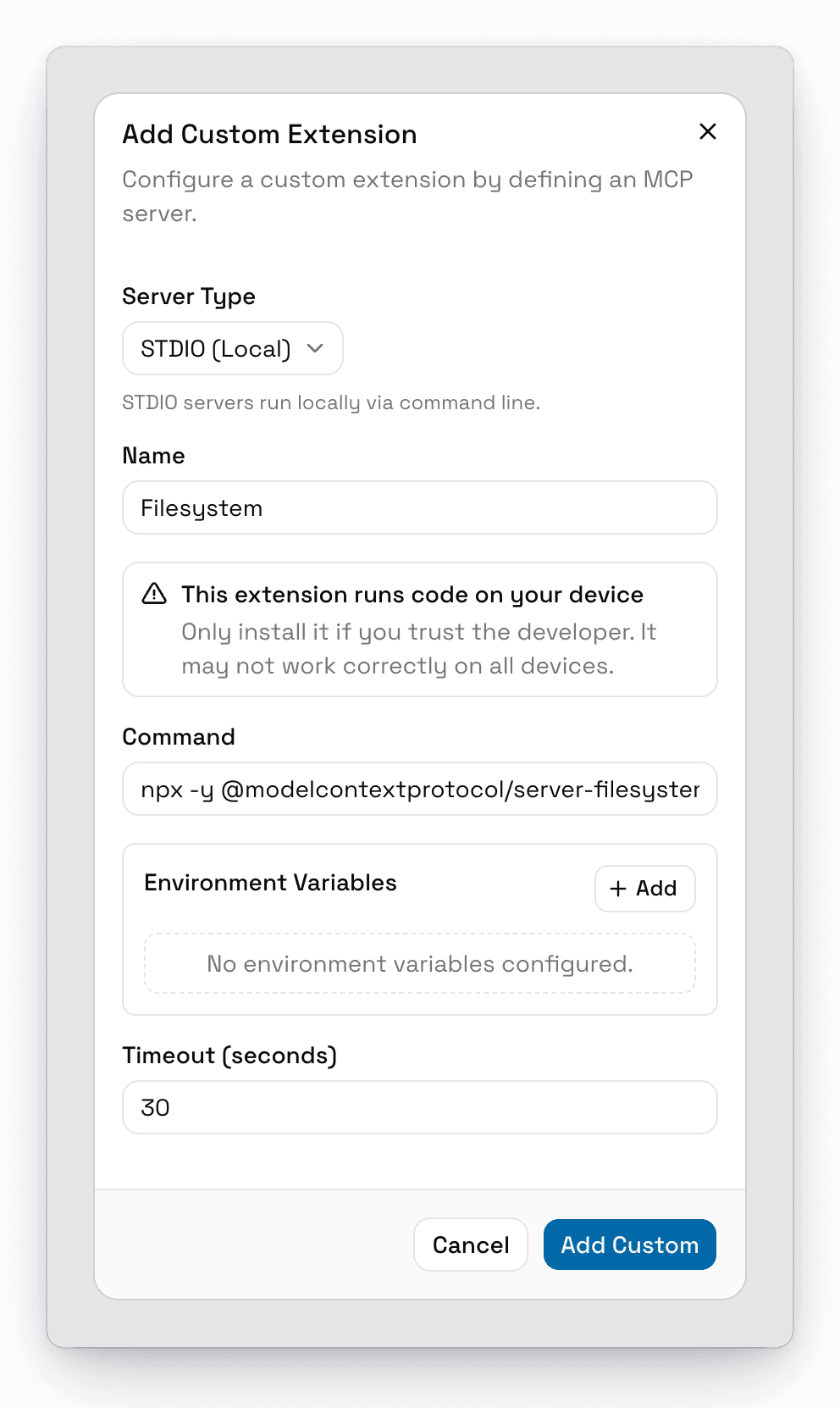
To add it:
-
Set Server Type to STDIO (Local).
-
Enter a Name, like
Filesystem. -
Enter the full Command to start the server, including its arguments. For example:
npx -y @modelcontextprotocol/server-filesystem ~/Documents -
Add any Environment Variables the server needs, like API keys. Click Add for each one.
-
Optionally change Timeout (seconds) (default: 30).
-
Click Add Custom.
To have AgentOne ask before using this server's tools, turn on Require Approval By Default in the extension's Advanced settings after adding it. See Tool Approvals.
Local servers run with the same access as your user account. Only add servers you trust.
Remote Server (HTTP)
A remote server is an MCP endpoint on the internet.
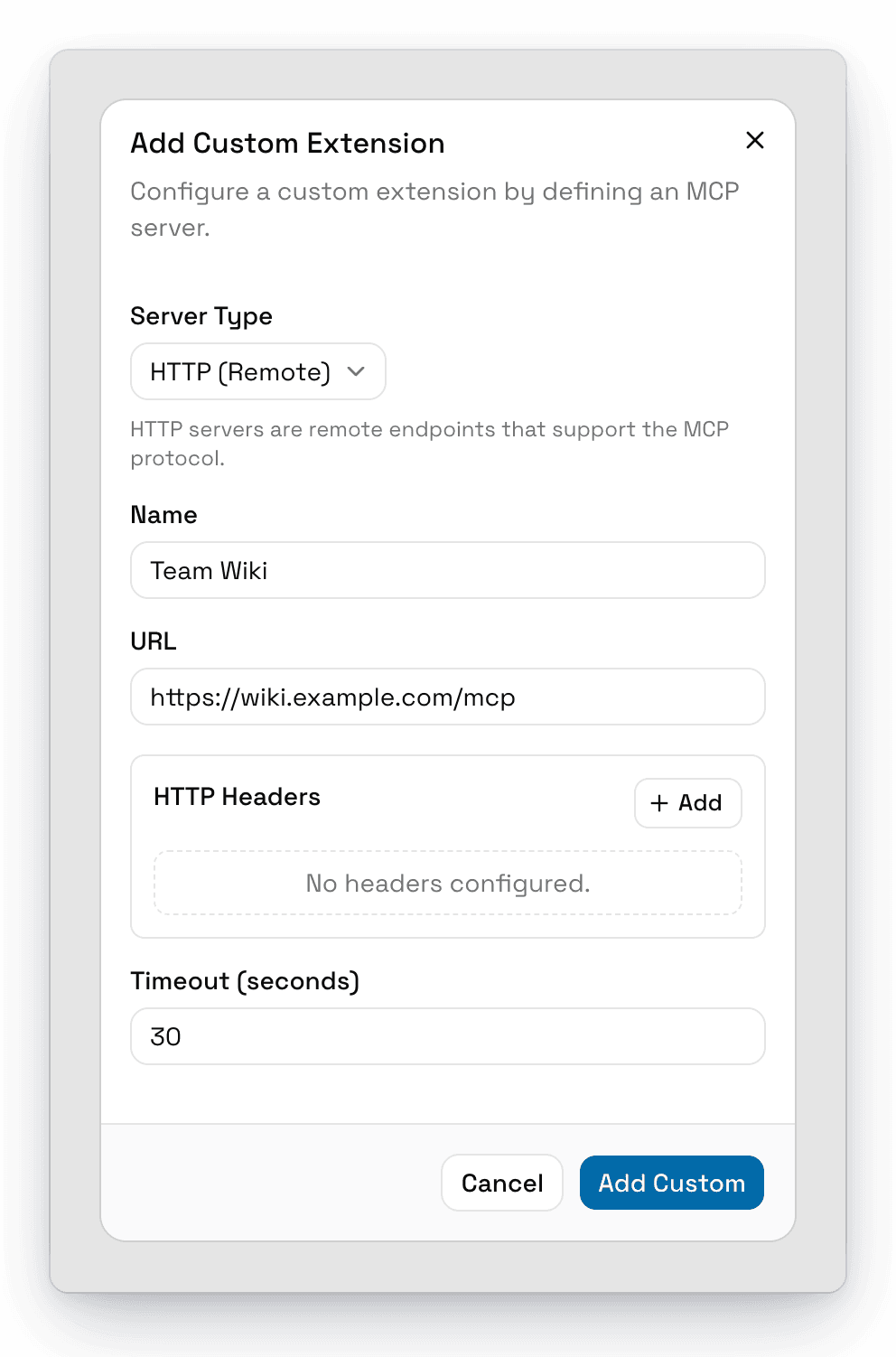
To add it:
- Set Server Type to HTTP (Remote).
- Enter a Name and the server's URL, like
https://mcp.example.com/mcp. - If the server uses an API key, add it under HTTP Headers, for example
Authorizationwith the valueBearer your-key. - Click Add Custom.
If the server supports OAuth sign-in, you can connect your account after adding it. See Signing In to an Extension.
Install from a Link
Some websites offer an Add to AgentOne link that starts with agent-one://mcp/install. Clicking one opens AgentOne with the Add Custom Extension form already filled in.
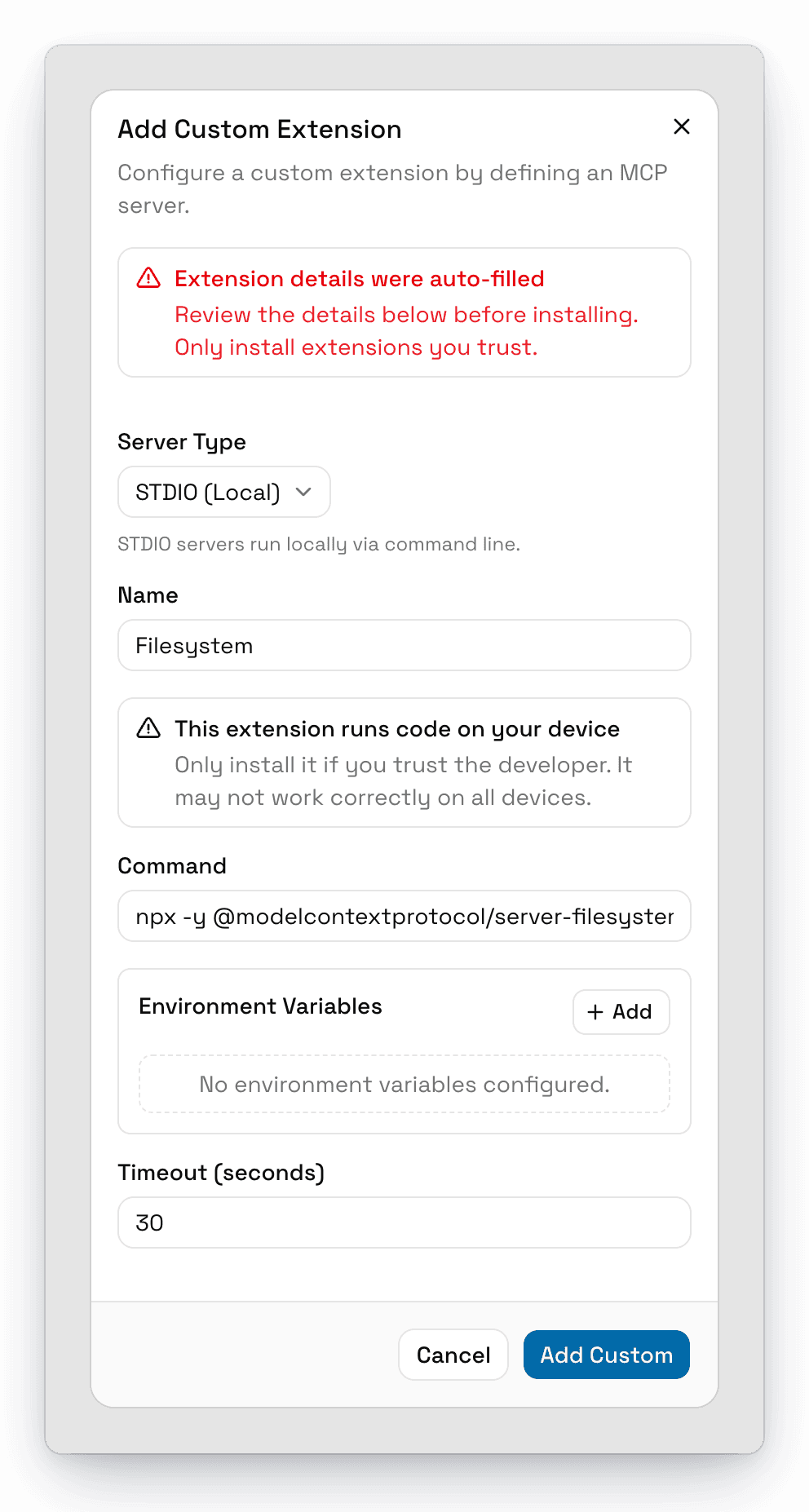
AgentOne shows Extension details were auto-filled so you know to check them. Review the command or URL carefully before clicking Add Custom. To create your own install links, see Deep Links.
Popular Servers to Try
| Server | Command or URL |
|---|---|
| Filesystem | npx -y @modelcontextprotocol/server-filesystem ~/Documents |
| Everything (a test server) | npx -y @modelcontextprotocol/server-everything |
| Context7 (code documentation) | npx -y @upstash/context7-mcp |
| Linear | https://mcp.linear.app/mcp |
You can find many more on the MCP Registry or in Extensions.