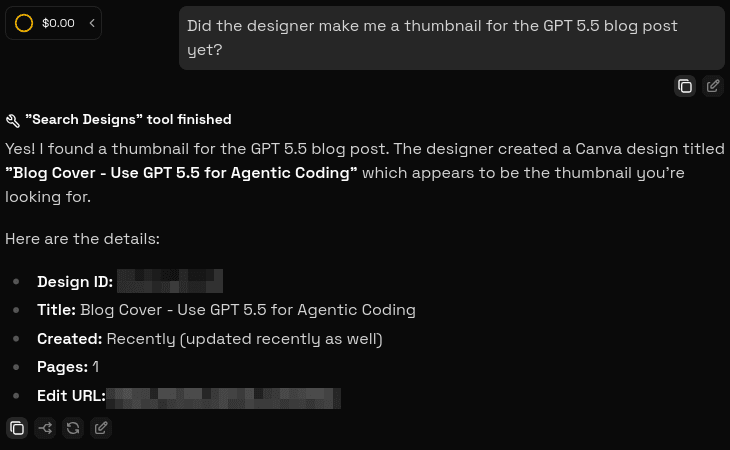
Use Canva with AgentOne
Connect AgentOne to your Canva account to design with AI
Canva is a popular online graphic design platform that enables users to create professional-looking visuals easily without advanced technical skills. Using a drag-and-drop interface, it allows for the creation of social media graphics, presentations, videos, websites, and print products. It is available for free or through paid Pro/Enterprise plans. Since Canva now has an MCP server, you can connect your Canva account to AgentOne and use AI to help you create better designs faster.
Open AgentOne
If you haven't downloaded AgentOne yet, please check the Installation Guide.
Navigate to Custom Extension Settings
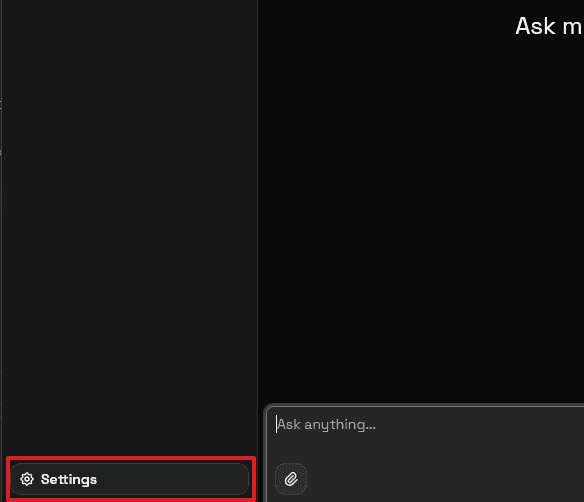
First click Settings in the bottom right of the sidebar. If the sidebar is not expanded, click the "Open Sidebar" button in the top left of the app.
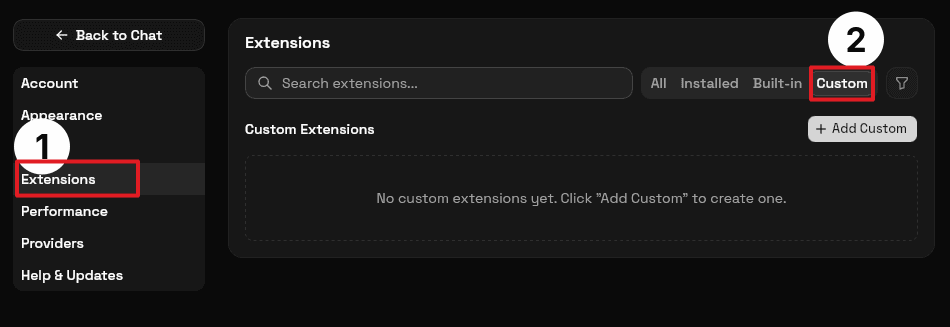
Next, click Extensions in the settings sidebar, then choose the Custom tab. If you don't see the settings sidebar, click the list icon in the top right.
Add the official Canva extension
Click the Add Custom button, then fill in the details for the Canva extension.
- Type: HTTP (Remote).
- Name:
Canva. - URL:
https://mcp.canva.com/mcp.
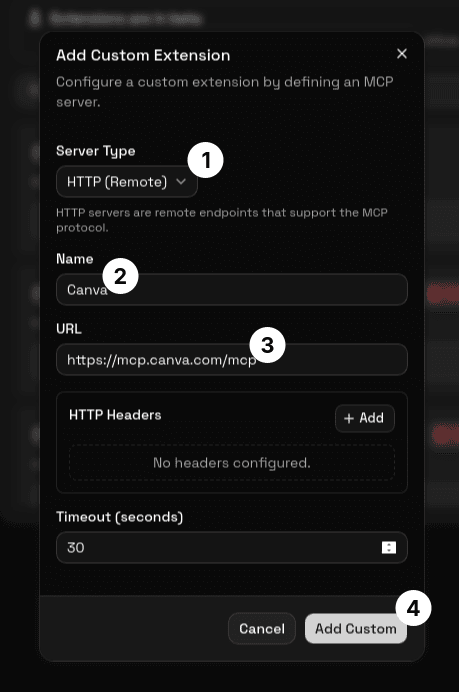
Leave other settings unchanged. Click the Add Custom button at the bottom of the dialog to complete the installation.
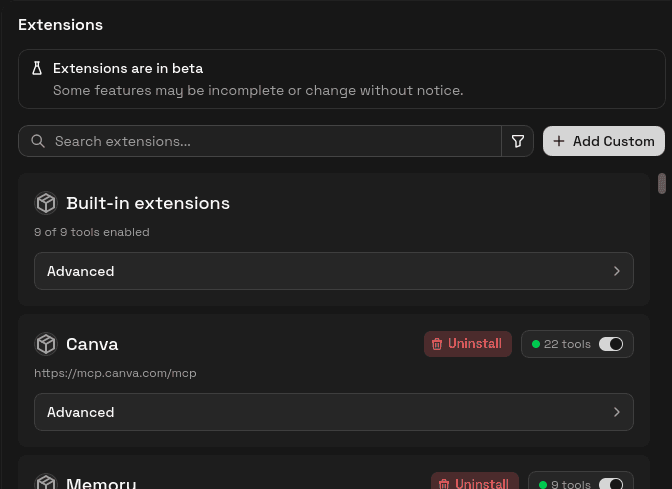
Connect your Canva Account
Click the Connect button that appears after installing the Canva extension and follow the steps to connect your account. You may have to reconnect Canva occasionally.
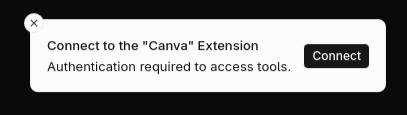
That's it!
You've now added the Canva Extension. Try it out by asking AgentOne a question about Canva.